How do I check my contract information?
Your contract summary (European Contract Summary or Simplified Information Sheet) is available on the
app or in the my MEO customer area.
In this document you can find the contracted services, as well as the retention period, if any, and the start date.
Contracts dated before 2021 may not be available on my MEO. In that case, please contact customer Support (see the
rate schedule) or customer SupportMEO Empresas (seethe
rate schedule).
Step-by-step on how to see contractual conditions:
- App my MEO
In the Profile option, choose MEO account data
Select the account for which you want to view the contract details
In the Contract section, you can view the contract documents and your retention period
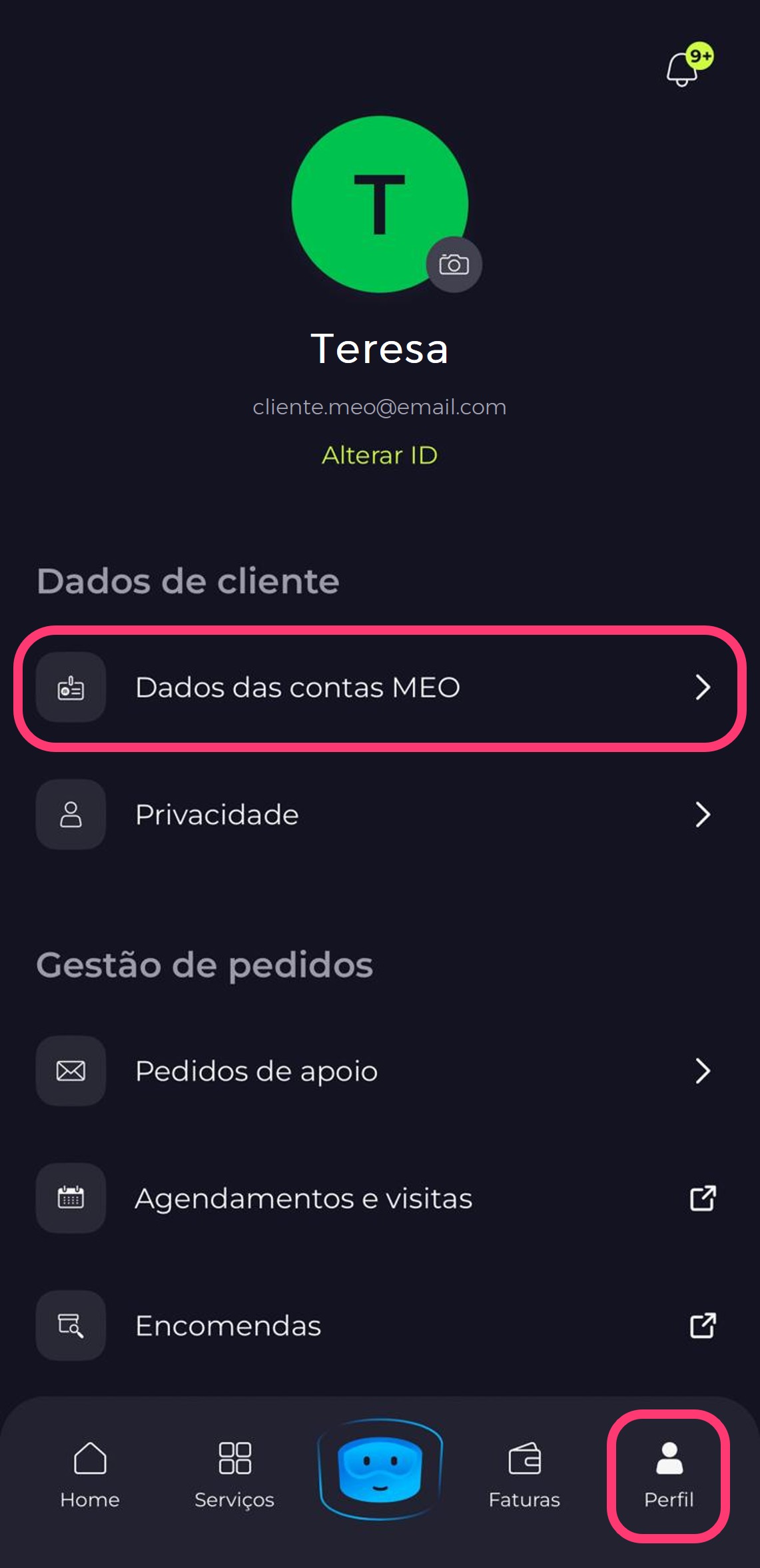
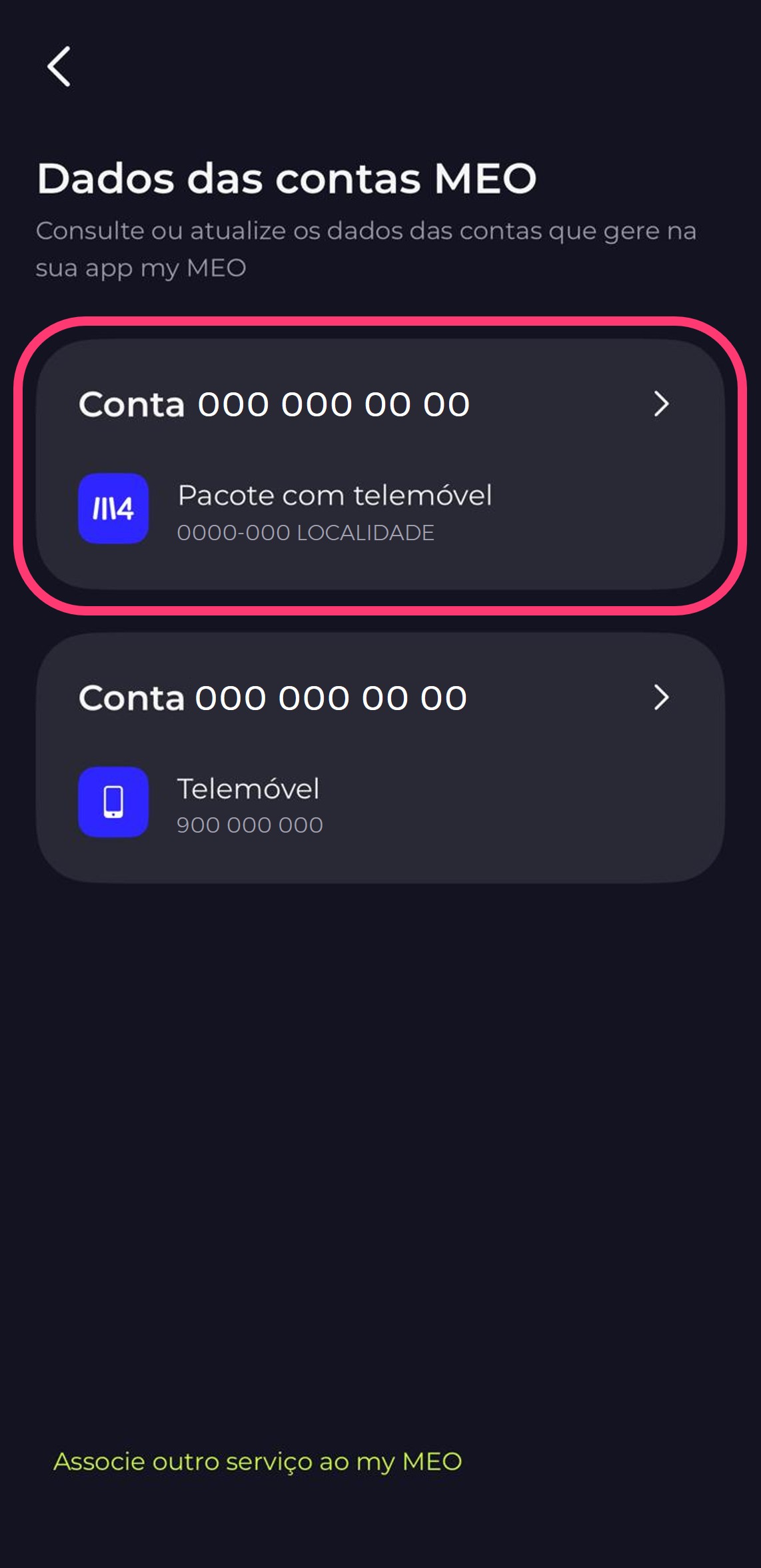
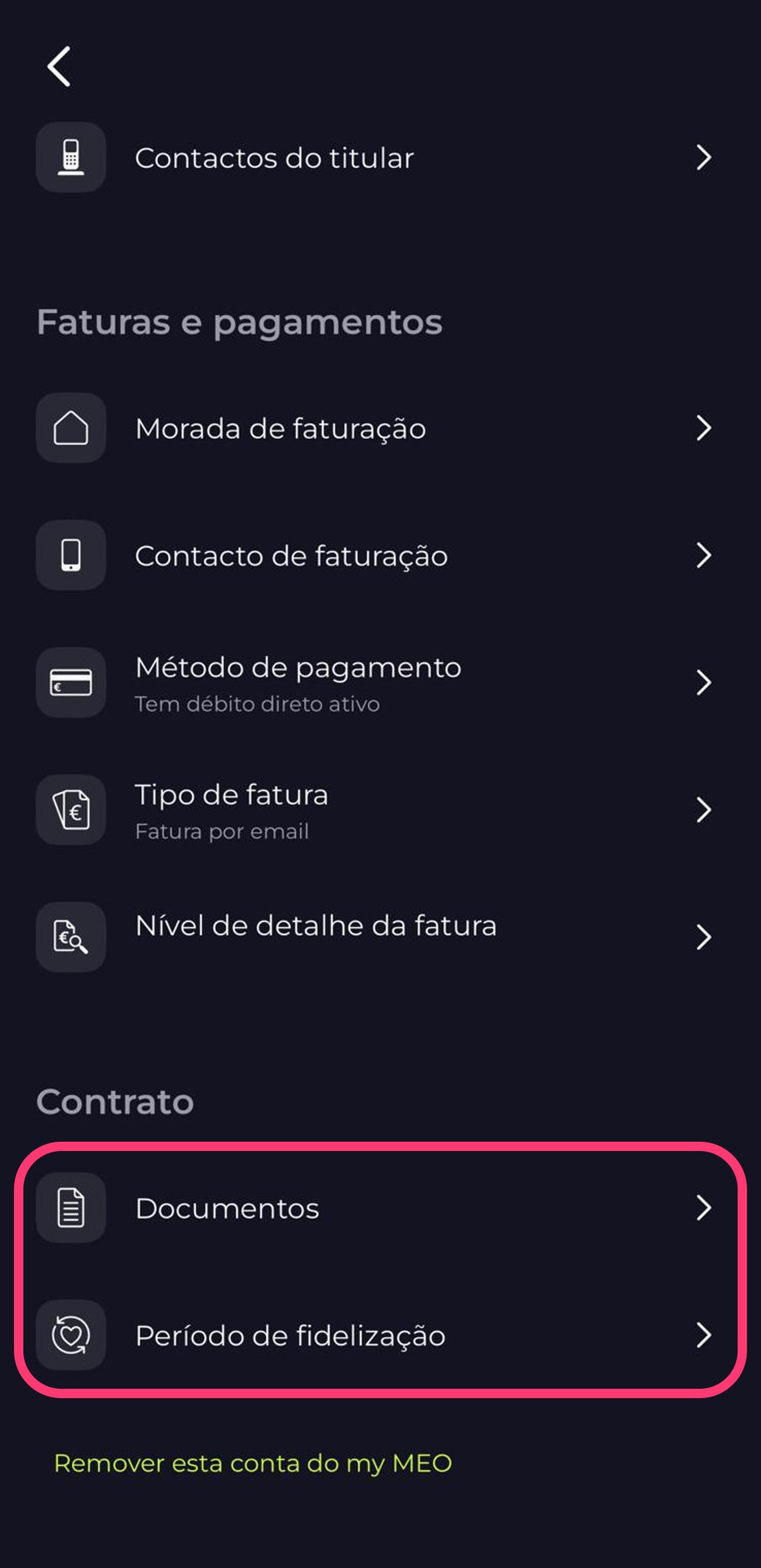
- Area customer my MEO > Click on Profile> In the Account Information section, click on Manage > Select the account by clicking on Sign In> Select the Contract option > View the Documents or retention period of your contract
You can also see when your contract ends on your invoice. This information is available in the Additional Information field, after your invoice details.
Does my contract change when I move home?
When you move home, the previous contract ends and a new one begins retention period, which varies according to the service you have contracted.
- 12 months - Telephone services
- 24 months - MEO bundles with TV or Broadband+Phone
In what situations is it necessary to change the account holder?
A change of ownership is the transfer of responsibility for an installed service to another person, without interrupting its operation.
It usually occurs when properties are transferred, rented out, changes in the household or other similar situations.
view how to change the account holder.
How to cancel my service
The fastest and most convenient way to cancel is through the “ customer ” section atmy MEO (app or website). Please note that canceling your contract before the end of the commitment period may incur fees; see the
exceptions.
Before requesting cancellation, we recommend that you check in the
app my MEO or in the customer sectionmy MEO to see if the contract’sretention period has already ended, or, alternatively, contact customer Customer Support (see the
rate schedule) or
the MEO Empresas Support Line (see the plan).
How to cancel the MEO service without having to fill out a form:
- Log in to App my MEO (customers Personal , Other Companies, and ENIs)
- Choose an option
Profile
- In Order management select
Support requests
- Choose
Create order
- Choose:
- Click " Continue Order"
- Choose the
product to end
- Select theReason for cancellation and follow the steps
- If the reason for cancellation is theft or death, please attach the requested documents
- Accept the terms and conditions and select
Next. An email will be sent to you with a validation code required to proceed with the order
- Enter the
code and click
Send
- SelectProfile
- In the "Support Requests" section, select "Create Request"
- Select:
- Subject:
Ceasing services
- To proceed to the form, select
Continue request
- Choose the
product to end
- Select the
reason for termination
- If the reason for cancellation is theft or death, please attach the requested documents
- Accept the terms and conditions and select
Next. An email will be sent to you with a validation code required to proceed with the order
- Enter the
code and click
Send
To cancel the service in the
Business customer areacustomers Large Businesscustomers ):
- Enter the
customer Business Area
- Go to the menu:
customers Support > Orders > Create Order
- Select the theme and subject:
- Subject:
Ceasing services
- To proceed to the form, select
Continue
- Select the
service to be terminated
- Select the
reason for termination
- Attach the necessary documents
- Accept the terms and conditions and click
Next order
After the order is placed, we will contact you (we may contact you by mail).
Alternatively, you can cancel the service via the
Contract Termination Platform.
This platform is aimed at all (non-business) consumers who have an electronic communications contract, with or without loyalty, and who want to terminate it by withdrawing. At the moment, the platform does not cover all contract termination situations (e.g. unemployment, emigration, breach of contract, among others).
Access the
Termination of Contracts Platform and select "Start procedure". The request will be made in two stages:
- Request for contractual information;
- Request for termination of contract following the operator's response to the request for information.
The use of GOV Authentication is mandatory to make the request on the platform. Have your ID card and authentication details with you. You will be redirected to the authentication service page authenticacao.gov, and the Termination of Contracts Platform will request the attributes necessary to confirm your identification document and verify the data entered. The information related to the requests will be sent to your email address.