Install and set up the MEO Smart WiFi Extenders using the
MEO Home app —which integrates the features of the MEO Smart WiFi app, which will be discontinued shortly—is quick and easy.
MEO Smart WiFi 6 Extenders (model D2260G) work with all FiberGateway and Fiber X routers. MEO Smart WiFi 7 Extenders (model D27GBHP) work exclusively with FiberGateway WiFi 7 and Fiber X7 routers. Regardless of the MEO Smart WiFi Extender model, it is necessary to have the MEO Smart WiFi service active.
Before starting the installation, make sure you are connected to your home Wi-Fi network (and not to MEO-WiFi or a guest network you have created).
Installation takes 5 steps:
1. Install and open the MEO Smart WiFi app on your smartphone
a. Install the MEO Smart WiFi app
Android | iOS
IMPORTANT NOTE: If you already use this app, make sure you have the latest version on your smartphone or tablet. The app is compatible with Android 6 devices or higher and iOS 12.3 or higher.
b. Select the ENTER button and use:
In the case of the FibreGateway (model GR241AG)
- User: meo
- Password: meo
For the following router models, Wi-Fi network username and password: FiberGateway WiFi 6 (model GR141DG), FiberGateway WiFi 7 (model GR240NHR), Fiber X (model XSR151DK), and Fiber X7 (model XSR240LNR). You can find this information on the sticker on the bottom of the router.
If you have previously changed your router's administration password, use that password or, alternatively, reset the router to restore the original username and password (meo/meo in the case of FiberGateway, and Wi-Fi network username and password in the case of other FiberGateway or Fiber X models).
Here's how to reset your router:
After logging in for the first time and activating MEO Smart WiFi, if you have your MEO e bundle registered at customer
my MEO, you can simply use your MEO ID to access the
MEO Smart WiFi app wherever and whenever you want by selecting the “ACCESS WITH MEO ID” option. Learn how to
create an MEO ID andhow to
register your MEO bundle .
2. Activate the MEO Smart WiFi service
This action is only necessary if you still have two separate Wi-Fi networks, for example MEOxxxxx and MEOxxxxx-5G. If this is the case, contact technical support and request activation of MEO Smart WiFi. MEO Smart WiFi has no associated cost and allows you to optimally manage your home Wi-Fi network.
3. Plug the MEO Smart WiFi Extender into an electrical outlet

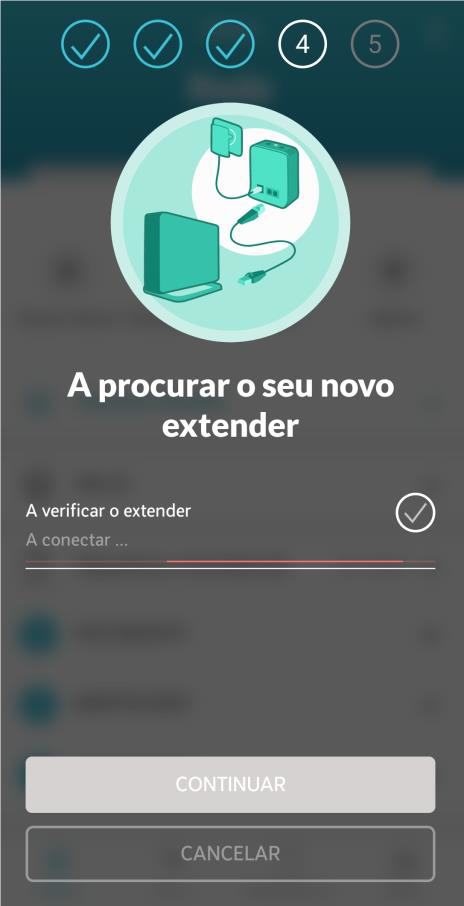
4. Add the MEO Smart WiFi Extender to your home network
Select ADD EXTENSOR in the HOME tab of the MEO Smart WiFi app
Scan the QR code on the MEO Smart WiFi Extender label or manually enter the number TV show (on the label, this is the number that follows the "S/N" designation).
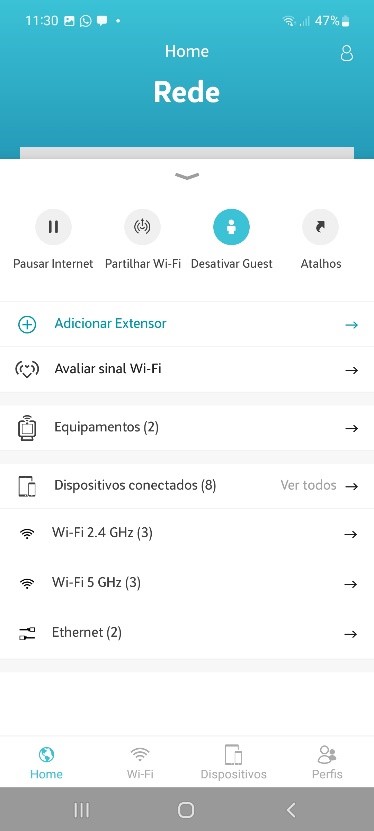

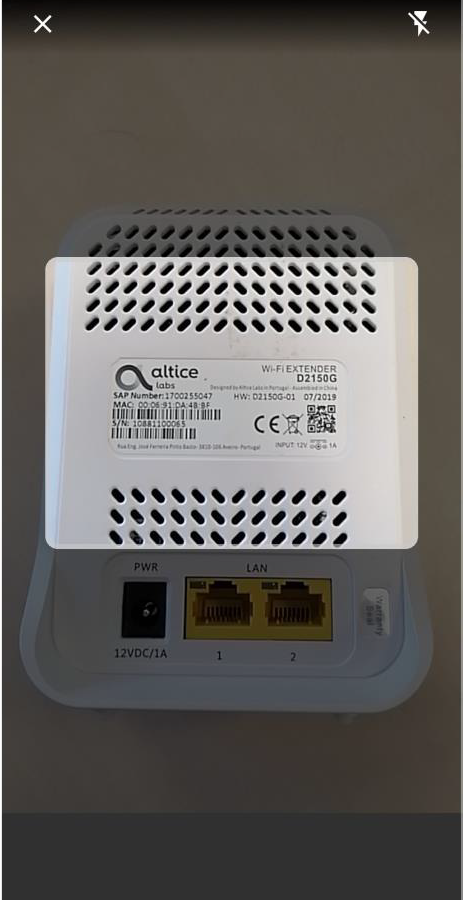
5. Choose the best location in your home for the MEO Smart WiFi Extender to get the best performance from your Wi-Fi network
When adding the MEO Smart WiFi Extender, the
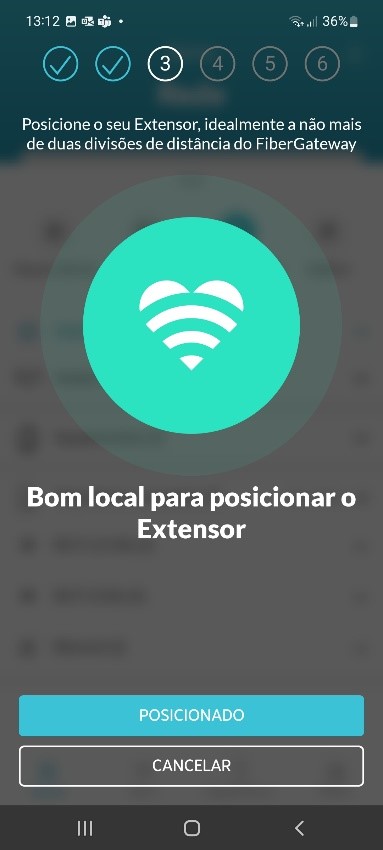
MEO Smart WiFi app will help you choose the best location for the MEO Smart WiFi Extender (neither too close nor too far from the FiberGateway).
When you have found the best area, select POSITIONED and wait for the MEO Smart WiFi Extender to connect to the FibreGateway. Repeat if necessary.
Alternatively, you can simply press the WPS button on the FiberGateway and the WPS button on the MEO Smart WiFi Extender for a few seconds and wait for them to connect (known as pairing).
The MEO Smart WiFi Extender should be placed close to the area where you want to improve Wi-Fi coverage, at some distance from the FiberGateway, and preferably with 1 or 2 walls in between. It should also be kept away from mirrors and tiles and preferably placed on top of a piece of furniture.
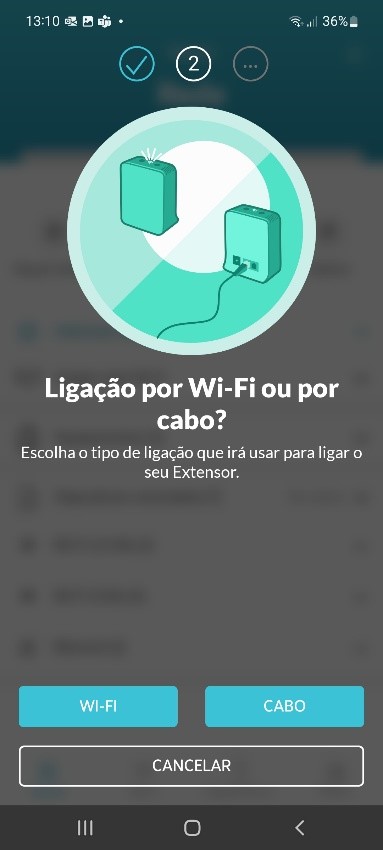
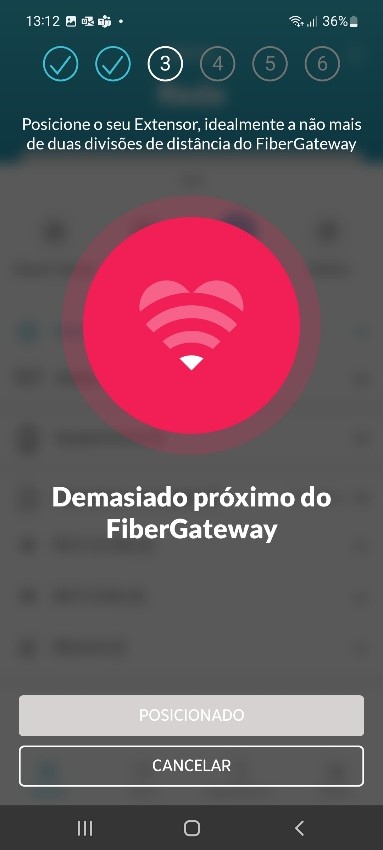
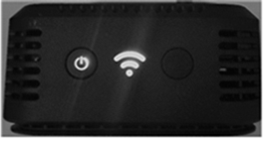
During normal operation, the ON/OFF and Wi-Fi LEDs remain steady green for the MEO Smart WiFi Extender and steady white for the MEO Smart WiFi 6 Extender MEO Smart WiFi 7 Extender. Even if you disconnect your MEO Smart WiFi Extender from the power supply, it will automatically reconnect to your FiberGateway router as soon as you reconnect it.
If you need more than one MEO Smart WiFi Extender, the installation is done the same way.
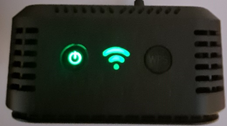
| 
|
MEO Smart WiFi Extender
| MEO Smart WiFi 6 Extender and MEO Smart WiFi 7 Extender
|
From now on, you will have better Wi-Fi coverage in your home. Enjoy your new internet experience.
You can also consult: