Skip to content

MEO ID - MEO Help

The MEO ID is your access credential to all MEO apps and services, such as MEO Go and the customer portal. Learn more

For quick support, use the MEO Digital Assistant

For quick support, use the MEO Digital Assistant

More help?

We have more ways to help you. If you can't find what you want in our Help articles, use our other digital channels, such as the App my MEO and the Digital Assistant, or contact us at support lines.

my MEO App

my MEO
my MEO App

Digital assistant

Digital assistant
Digital assistant

MEO Forum

MEO Forum
MEO Forum

MEO Stores

MEO Stores
MEO Stores
Video Tutorials
support lines

MEO ID

  • What is MEO ID?

    MEO ID is a way to securely log in to all MEO, MEO Empresas, and MOCHE websites and apps. Using the same email address and password, you can access the app at my MEO, thecustomer portal at customer ,themy MEOportal, the customer Empresarial portal, as well as websites (e.g., MEO WiFi, MEO Cloud, etc.) and apps (e.g., MEO Go, etc.).


  • Create and Use MEO ID

    Your MEO ID is your access to all MEO, MEO Empresas, MOCHE, and other websites and applications, such as my MEO, MEO Home, MEO Go, MEO Cloud, and the customer Area.


    To create an ID, follow these steps:

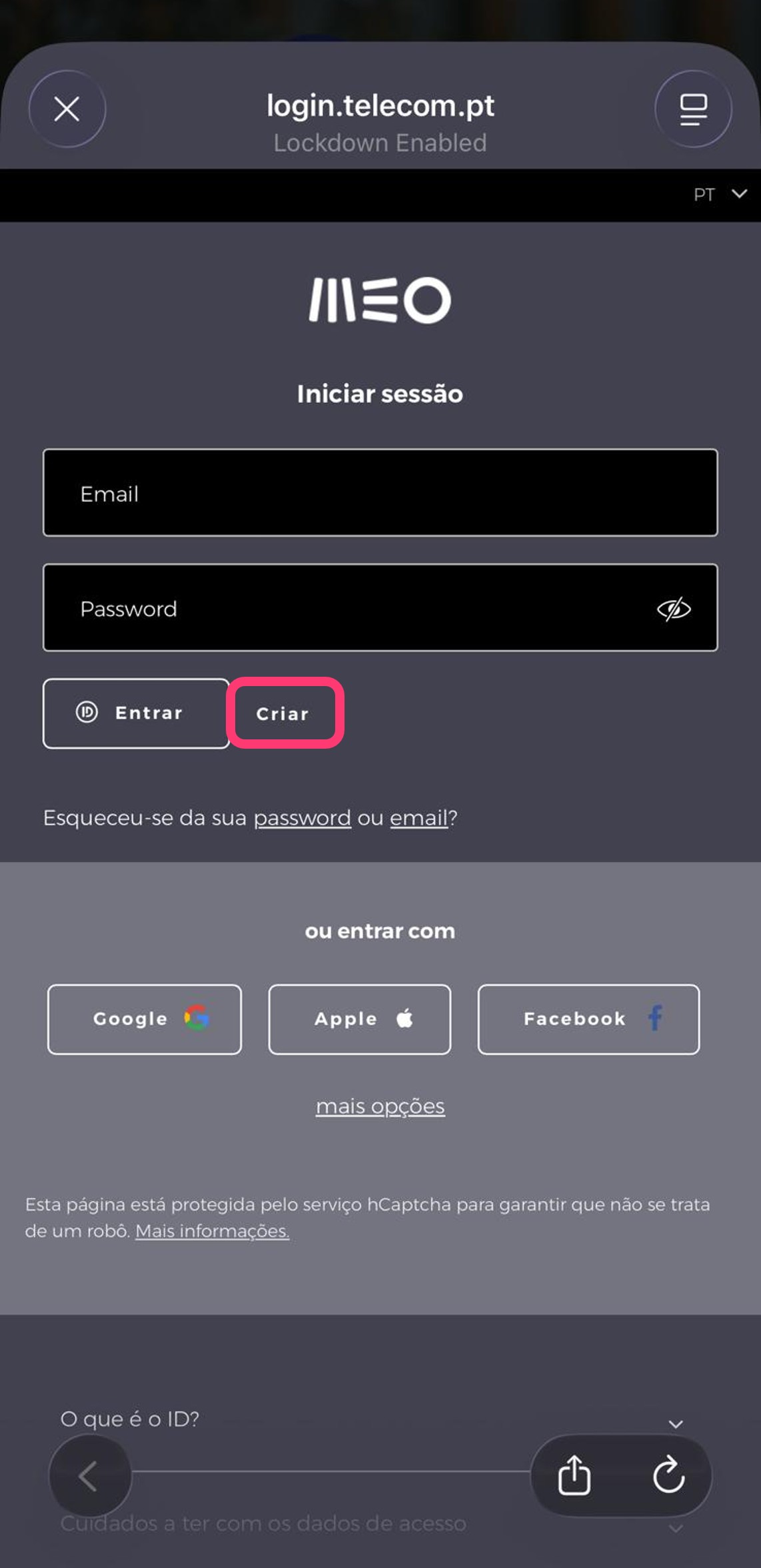
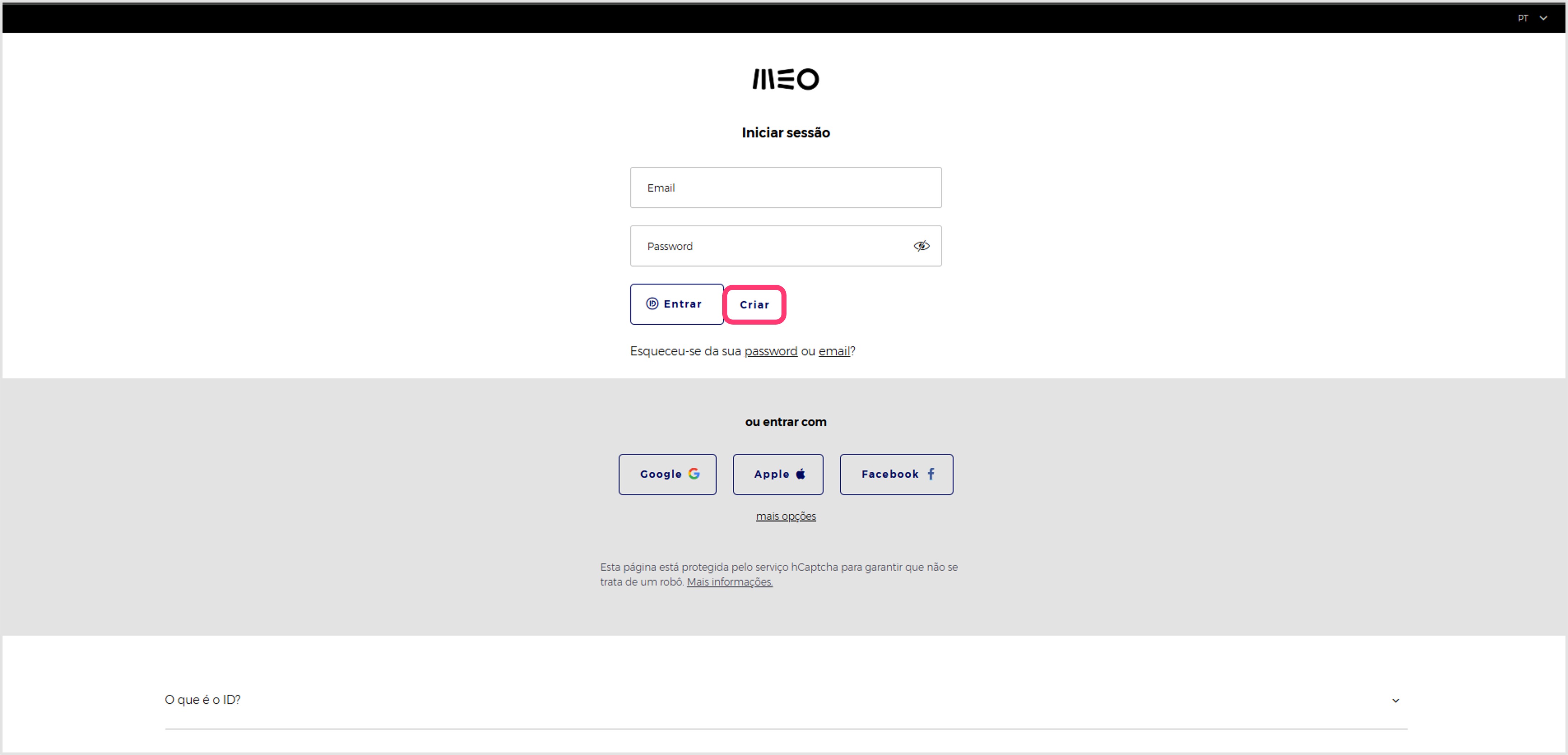
    1- Go to the app my MEO or the member area customer my MEO

    APP
    Web


    2- Select theCREATE option

    APP
    Web


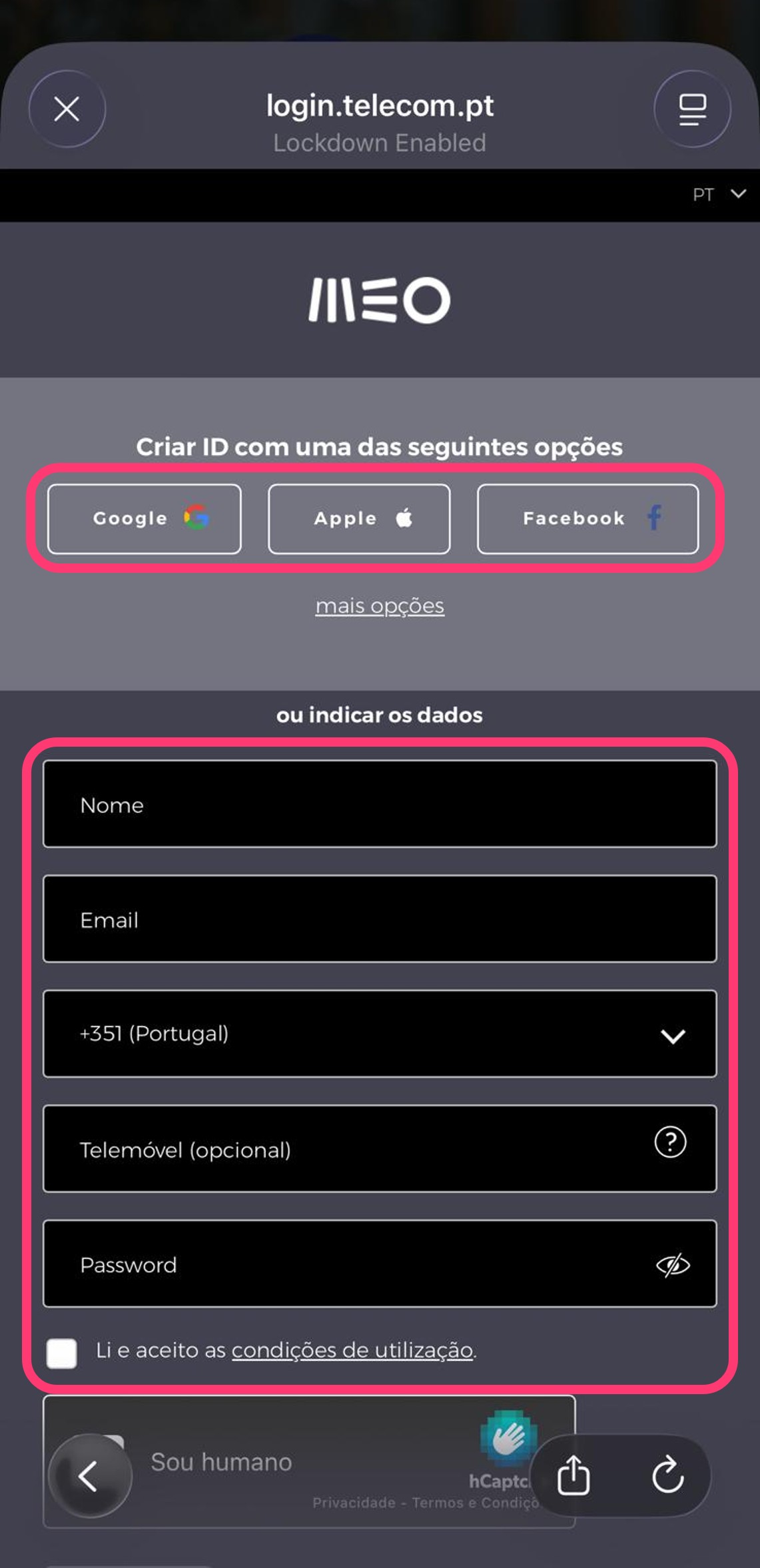
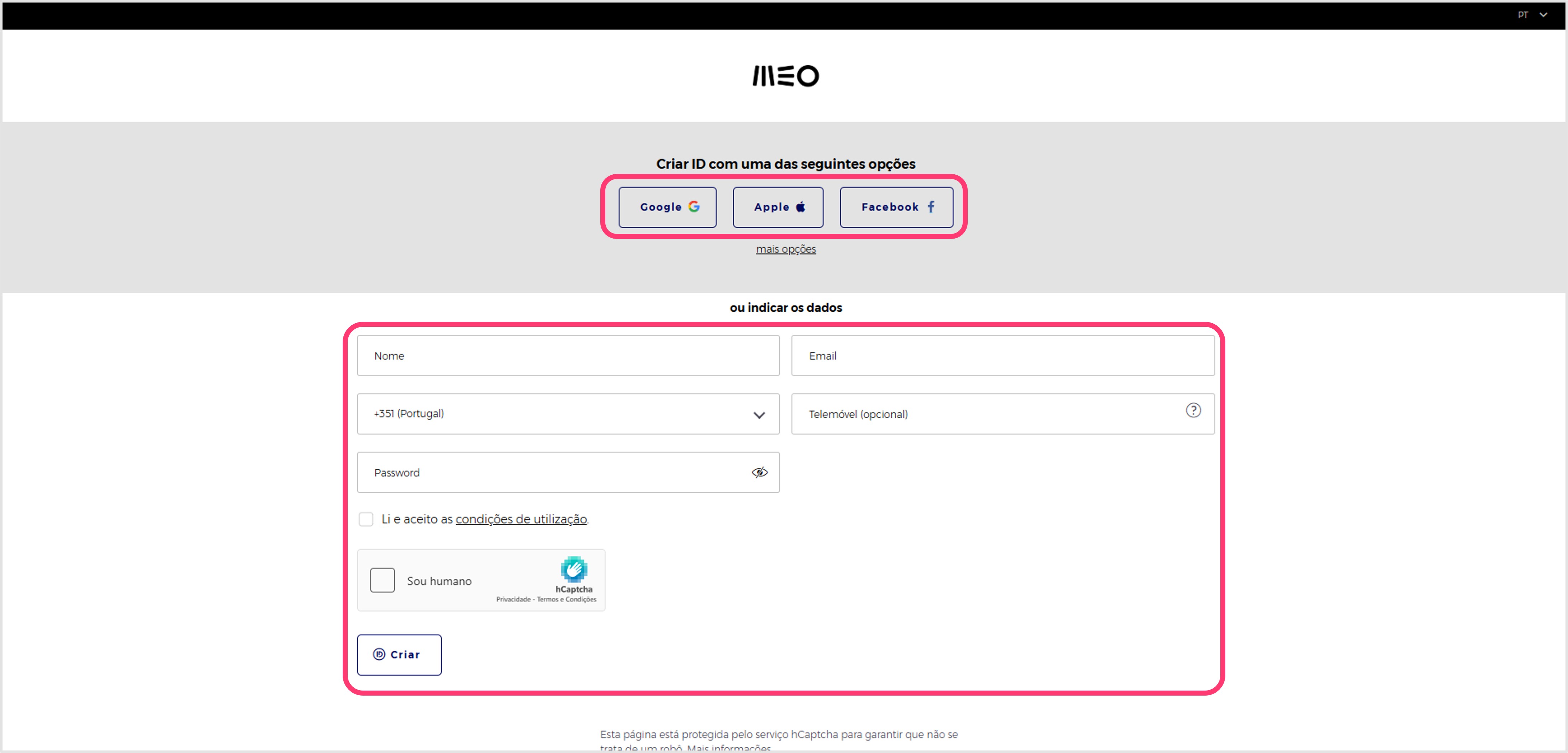
    3- Enter anemail address and password, or choose the option to sign in withGoogle IDorApple ID

    APP
    Web


    Once the ID has been created, an email is sent to confirm access. If registration is not confirmed after 3 days, access will be blocked for security reasons.

    If you have a Google or Apple account, you can use these credentials to log in to MEO sites.
  • I can't log in to MEO ID

    See the main difficulties that can occur when entering the ID.

    • Email is already registered
      If you already have an ID, select Recover email.
    • Access is blocked
      Learn how unblock access to the ID

    • I forgot my password
      If you already have an ID, select Recover Password

    • I forgot my email address:
      . If you already have an ID, select Recover email
  • How can I change my MEO ID access data?

    To change the data associated with the MEO ID, follow these steps:

    1. Log in to MEO ID via the my MEO app or my MEO customer area
    2. Identify the information you want to change
    3. Select Change
    4. Put in the new information
    5. Select Change


    • A change of mobile phone requires additional confirmation.
    • Changing your email address is temporarily unavailable, but you can create a new ID account throughthe appat my MEOorthe customer section atmy MEO.


    Once you have changed your ID access data (password or PIN), you must use it on all websites and applications with ID access. 

  • Recover the password or email to access the MEO ID

    Access MEO ID via the app my MEO or area of customer my MEO.

    Recover the access password:

    1. Select the option " Recover password"
    2. Enter the email you used to register
    3. You will receive an email with instructions on how to set your password
    4. Select the SET PASSWORD button
    5. Choose a new password
    6. Select the Save option


    Recover the access email:

    1. Select the "Recover email" option
    2. Enter the number of mobile phone with which you registered
    3. If the mobile phone number is valid, you will receive a text with the registration email address


    Whenever you change your email address or password on one of the MEO, MEO Empresas, UZO, or MOCHE websites, all other websites and apps that use the same login credentials will automatically accept the new information.

  • Unlocking MEO ID access

    Most likely, access to MEO ID via the app my MEO or area of customer my MEO Your account is blocked because you have not yet confirmed your registration.

    Look for the confirmation email we sent you and follow the link to complete registration and unlock access.

    If you can't find the ID confirmation email, you can ask for a new one to be sent:

    1. Log in to ID MEO using your login credentials and click Log In
    2. Choose"Click here to receive email...".

    If you are still unable to log in with your credentials, please contact customer Support (see the plan), or the MEO Empresas Support Line (see plan), if you’re an customer MEO Empresas user.


    If you can't remember your password or access email, find out how to recover it.

  • 2-step authentication with MEO ID

    2-Step Authentication guarantees additional security whenever you log on to one of the MEO, MOCHE or MEO Empresas websites. To do this, 2 steps are used to verify identity on a device that has not yet been identified as secure:

    • The combination of the email address and password
    • An additional security code that is sent from text to mobile phone.


    Two-Step Verification can be enabled through the " PROFILE " section of ID MEO by entering and confirming your mobile phone.


    Advantages

    • The account is protected against misuse by third parties
    • No need to create/memorize complex passwords.